
RV and Camper Rental Guidebooks: Enhance the Adventure
Elevate your RV and camper rental business with our tailored Guidebook Builder. Create comprehensive guides that cover vehicle features, operation instructions, and local attractions.
Ensure your renters have all the information they need for a smooth and enjoyable journey.


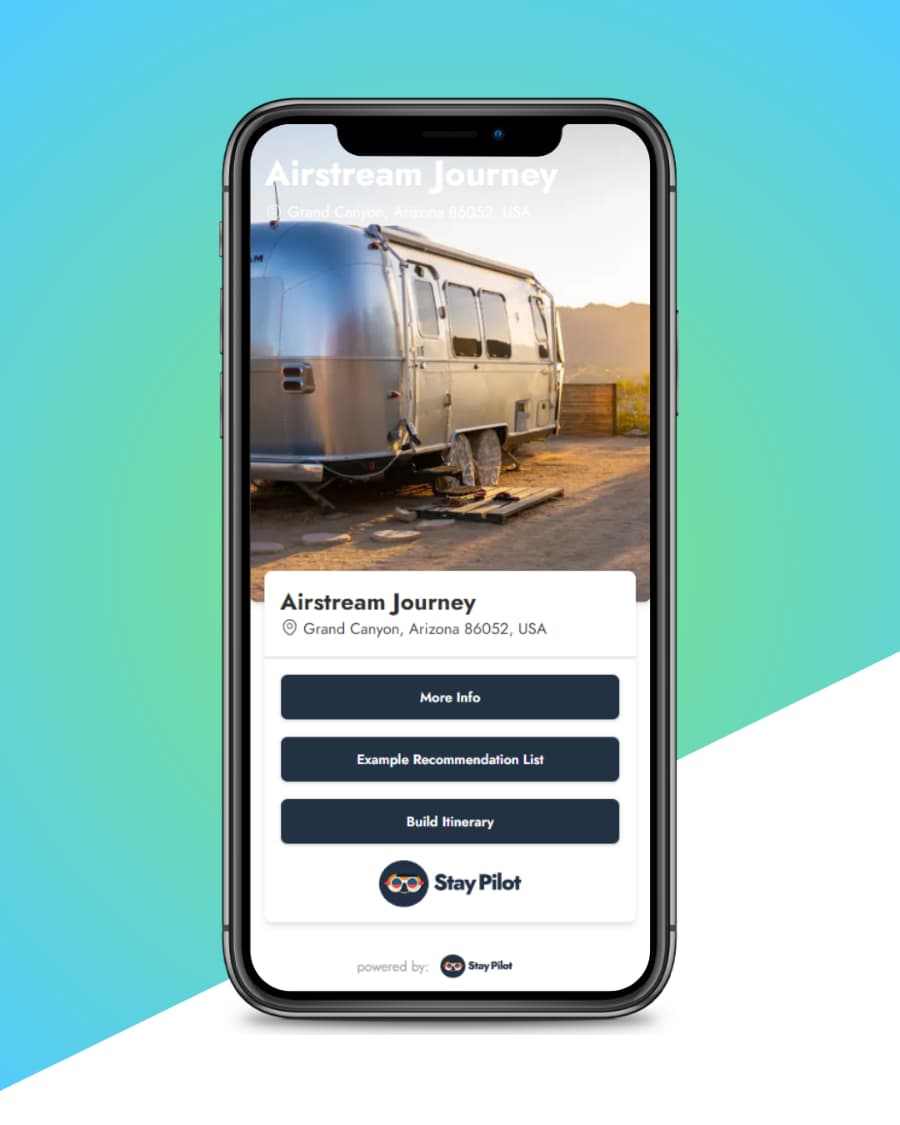
Simplify RV and Camper Rentals
Renting out RVs and campers comes with unique challenges in educating renters about vehicle operation and care. Our guidebook builder lets you create detailed, easy-to-understand manuals for each of your vehicles. Provide renters with all the information they need, from operation instructions to campground recommendations.
Build your RV guidebookKey Benefits
- Detailed vehicle operation and maintenance instructions
- Customizable content for each RV or camper model
- Include local attractions and campground information
- Reduce customer support calls and inquiries
- Improve renter confidence and satisfaction
What to include in an RV or camper guidebook
Renters are excited to hit the road, but a big rig can feel confusing at first. Walk them through it one step at a time. Paste your notes or answer a few questions, and your digital guidebook draft is ready in about a minute.
Pickup and handover
Say where to meet, what time, and what you will go over together. Add the checklist you walk through at pickup.
Driving and parking
Height, length and weight limits, tips for backing up, and where it is safe to park. A few honest tips go a long way.
Hookups and power
How to plug into shore power, connect water and run the generator. Add a short YouTube video to any section to show each step.
Tanks and dump stations
How to read the gauges, when to empty the tanks, and which dump stations near you are easiest to use.
Appliances
The fridge, the furnace, the stove and the slide-out. Short steps and a photo make each one less scary.
Campgrounds nearby
Use a Places list for campgrounds, groceries, propane refills and the best views. Renters see them on a map.
Questions RV and camper hosts ask
- Can I add videos that show how things work?
- Yes. Any section can hold photos and a YouTube link, so you can show how to level the rig or work the awning. Renters can watch it on their phone at the campsite.
- I rent several vehicles. Do I need a guidebook for each?
- Give each RV or camper its own guidebook, since no two have quite the same water pump, generator or fridge. Duplicate your first guidebook and change what is different. Each guidebook you publish is added to your plan, and you confirm before you are charged.
- How do renters get the link?
- Send it with the booking confirmation, or print the QR code and stick it inside the door. Renters scan it with their phone camera and it opens right away.
Guests get instant answers,you get your evenings back
Follow one guest from the welcome text to an 11 PM Wi-Fi question. Everything they need is in the guidebook, and nothing reaches your phone.

One link, no app
Guests open it from your welcome message or a QR code. Nothing to download.
Answers at any hour
The AI concierge handles the 11 PM questions so your phone stays quiet.
From your guidebook
Answers come from what you wrote, and point guests to the right section.
93% of guest questions answered without host involvement
Hosts are answeringfewer questions every day
Don't take our word for it. Here's what property managers and hosts have to say about Stay Pilot.
“I previously used a google doc, but guests kept having trouble accessing it (especially on their phones)! Since I made my guidebook I haven't had a single issue. Not only that, but almost every guest seems to comment that they appreciated the recommendations.”

“I love it. But more importantly my guests seem to really like the guidebook. Within the first couple weeks multiple guests said they loved my recommendations and the itinerary builder.”

“Our property is slightly hard to find, so (what felt like) half our guests would have trouble finding the right door! After Stay Pilot we immediately stopped getting messages at check-in.”

Pay per guidebook, scale as you growOnly pay for what you use
Build and share your guidebook free for 7 days, no card needed. When you publish, your first plan starts with a 7-day free trial. Add more guidebooks anytime, and you confirm before you are charged.
Don't need AI Chat?
Build a standard guidebook and publish it to keep your link live. Need more? Each extra guidebook you publish is added to your plan, and you confirm before you are charged.
- Custom Digital Guidebooks
- Beautiful Display
- Update 24/7
- AI Itinerary Builder
- AI Chat
- Guest Email Capture
Only pay for the guidebooks you publish.
Guidebook + AI Chat!
AI chat that answers guest questions from your guidebook's content, on any guidebook you turn it on for. Each extra guidebook you publish is added to your plan, and you confirm before you are charged.
Save $5.95/month
- Everything in the Standard Plan
- AI Chat
- Guest Email Capture
- Guest Email Dashboard
- Password Protection
Empower your guests
FAQ
Frequently Asked Questions
- Sign up, then paste the notes you already have or answer a few questions. In about a minute you get a guidebook and a guest link you can share by link or QR code. Sharing is free for 7 days. Publish when you are ready to keep the link live.
No. Build your guidebook and share the link free for 7 days, no card needed. You only add a card when you publish.
After the 7 days, guests can no longer open your link until you publish. Everything you built stays saved, and you can always see it yourself. Publish to bring the link back. Your first plan starts with a 7-day free trial.
Building and sharing your guidebook is free for 7 days, so you can see it working before you pay. When you publish, your first plan starts with a 7-day free trial, and you can cancel before it ends without being charged. After that we do not offer refunds at this time.
- Amazing, we are here to help! Feel free to contact us via email!
- Our AI chat uses your guidebook's content to answer guest questions instantly, 24/7. When a guest asks about WiFi, check-in, or local recommendations, the AI provides accurate answers based on the information you've added to your guidebook. No setup required beyond building your guidebook. AI chat is part of the Guidebook + AI Chat plan, and guests only see it on guidebooks where you have turned it on.
- Yes! Stay Pilot offers 7+ built-in themes plus a custom theme builder where you can set your own colors, gradients, and branding. Every guidebook can have its own unique look that matches your property's style.
- Guests access your guidebook through a simple link or QR code. No app download required. The guidebook works on any device with a web browser, and you can share the link via your booking platform's messaging, email, or printed materials.
- You can create as many guidebooks as you need. Pricing scales based on the number of published guidebooks, starting at $8/month for your first guidebook with volume discounts as you add more. Each extra guidebook you publish is added to your plan, and you confirm before you are charged.
- No. Stay Pilot guidebooks are web-based and work in any browser. Guests simply click a link or scan a QR code to access your guidebook instantly. No download, no signup, no friction.

Simplify hosting, share, and convert
Don't resort to a binder that is out of date. Create a digital guidebook so your guests are always informed.
Build your guidebook free